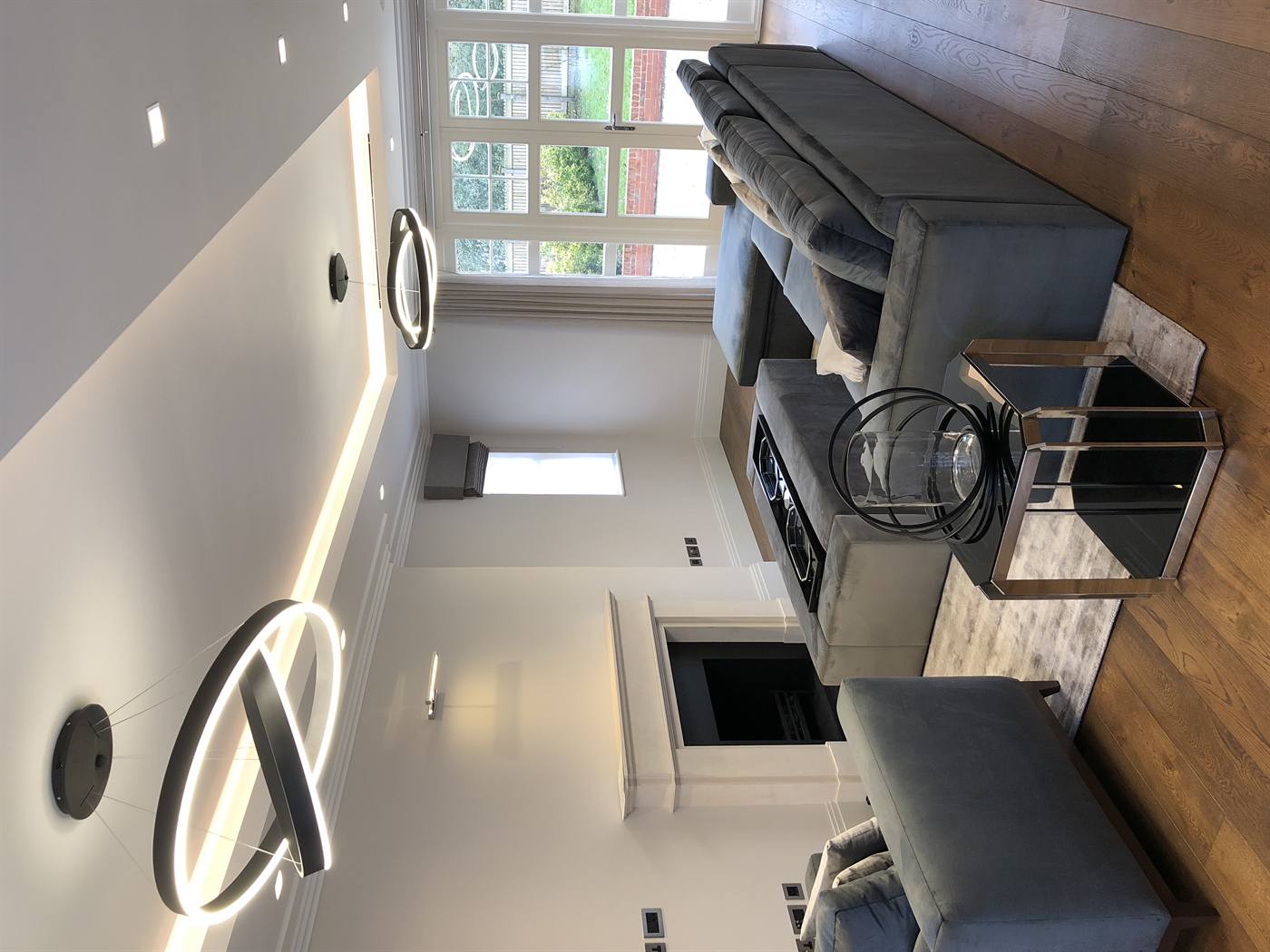
Smart home security products are connected devices and systems that detect, deter, and document threats using sensors, cameras, alarms, and secure apps. They integrate with lighting and networks to automate responses and alerts. For homeowners and businesses across London, Concepto Solutions designs and installs these systems end to end so they work reliably together.
By Arvin Halai — Concepto Solutions
Last updated: 2026-05-21
Overview: what you’ll learn
This guide explains today’s smart home security products, how they work, and how to choose, install, and maintain them. You’ll see wired vs. wireless trade-offs, a comparison table, a buying checklist, and real examples from Concepto Solutions’ integrated electrical, CCTV, access control, and smart automation projects.
Security isn’t one gadget; it’s a system. When cameras, alarms, door entry, lighting, and networks operate as one, risk drops and day-to-day life gets easier. Below you’ll find a practical roadmap from basics to buying decisions, with clear steps you can act on right away.
What smart security is and why it matters in 2026
How sensors, cameras, and hubs talk to each other
Pros and cons of wired vs. wireless, local vs. cloud
Buying guide with a 12-point checklist
Comparison table across common product categories
Setup best practices we use on real projects
Mini case studies drawn from residential, retail, and hospitality work
What is smart home security?
Smart home security is an integrated set of connected devices—cameras, sensors, alarms, locks, and control hubs—that monitor your property and automate responses. These products send real-time alerts, trigger lights or sirens, and record evidence while staying accessible from your phone or a wall-mounted touch panel.
Think of it as a coordinated team. Cameras capture 24/7 video; motion and contact sensors notice movement or an open door; smart alarms and lighting respond; the app and control system keep you informed and in control.
At Concepto Solutions, integration is the difference-maker. Our smart home solutions combine Control4, Lutron, KNX, Savant, Paxton, and Texecom where appropriate, so security, lighting, blinds, and AV behave like one cohesive system—not scattered parts.
Why smart home security matters in 2026
Smart security reduces risk, speeds response, and adds daily convenience. Modern systems pair high-resolution video with precise sensors and automated lighting, so threats are detected faster and false alarms drop. Integration means fewer apps, clearer alerts, and more reliable protection day and night.
Image quality and analytics have leapt forward. 4K cameras resolve faces and plates more clearly than 1080p, which helps with identification. Infrared night vision covers low-light areas, while spotlight cameras deter with visible light on motion. Many hubs now support AES-128/256 encryption for data in transit, strengthening privacy.
Reliability improves when security rides on strong infrastructure. Power over Ethernet (PoE) cameras can draw up to 30W on 802.3at (PoE+), eliminating local power bricks and simplifying maintenance. Wi‑Fi 6 supports higher throughput and denser device counts than prior generations—useful when homes add dozens of sensors and controls.
How smart security works (signals, hubs, and actions)
Smart security works by linking sensors and cameras to a control hub over wired Ethernet or wireless protocols. The hub analyzes events and triggers actions—alerts, lights, locks, sirens—while apps provide remote access. A reliable network, clean power, and proper cabling keep everything stable.
Every system follows the same basic flow: sense, decide, act.
Sense: Motion, contact, glass-break, and environmental sensors detect changes. Cameras add video context and analytics.
Decide: A hub or NVR evaluates events and schedules, often using zones and arming modes to avoid false triggers.
Act: Sirens, smart lights, locks, and mobile notifications respond. Scenes can flash exterior lights and lock doors instantly.
On projects, we pair the right transport with the right device. For fixed exterior cameras, shielded Cat6 and PoE deliver bandwidth and power together. For door/window sensors or water-leak detectors, low-power wireless like Z-Wave or Zigbee maintains long battery life and robust mesh coverage.
Integration matters beyond security. With Lutron lighting control, alarm arming can dim interiors and switch exteriors to bright white for visibility. With Control4, a single “Goodnight” button can arm the Texecom intruder system, lock doors, and lower blinds—no app juggling.
Types of smart home security products
Core categories include smart alarms, video doorbells, indoor/outdoor cameras, access control and door entry, sensors (motion, contact, glass, leak), and life-safety devices like smoke and CO alarms. Each plays a unique role; together, they create layered protection that’s harder to bypass.
Smart alarms and hubs
Intruder panels from brands like Texecom remain the backbone in many homes and small businesses. They manage arming modes, zones, and professional signaling, while tying into lighting and locks. In our experience, a dedicated alarm brain reduces nuisance triggers when paired with quality sensors and proper zoning.
Use case: Arm “perimeter” overnight so door/window sensors alert without tripping interior motion.
Spec note: Many panels support multiple partitions, useful for guest suites or garages.
Video doorbells and intercoms
Doorbells with HDR video and two-way audio improve situational awareness. For apartments and gates, we deploy video entry and door entry systems with directory, relay control, and app-based answering. A clear microphone and echo cancellation matter as much as pixels.
Use case: Receive a package by unlocking a smart lock while viewing the courier live.
Spec note: Look for 2.4/5 GHz Wi‑Fi or wired Ethernet options to match your network plan.
Indoor and outdoor cameras
Outdoors, choose weather-rated housings (IP66/67) and 4MP–8MP sensors for clarity. Indoors, a compact 1080p–4K dome can watch entries and hallways. PoE simplifies power; for wireless models, ensure strong RSSI and separate the IoT VLAN to isolate traffic.
Use case: A fixed camera on the driveway paired with a motion-triggered light reduces prowling after midnight.
Spec note: 4K (8MP) offers four times the pixels of 1080p, supporting digital zoom for identification.
Access control and smart locks
For residences and boutique retail, we integrate Paxton access control with smart locks or strikes for role-based entry and audit trails. Reliable latch alignment and strike power sizing prevent intermittent failures—small details that keep doors secure.
Use case: Time-limited codes for housekeepers; temporary mobile credentials for contractors.
Spec note: Check battery life claims and emergency mechanical key overrides for smart deadbolts.
Sensors and life safety
Contact sensors, PIR motion, vibration, tilt (for garage doors), and environmental detectors (water, temperature) layer information across the property. Life-safety devices—smoke and carbon monoxide—should tie into your control system so alerts don’t go unnoticed.
Use case: Shut off a smart valve the second a leak sensor trips under the kitchen sink.
Spec note: Glass-break sensors typically monitor 3–25 ft; place them within spec for accuracy.
Buying guide: choosing the right smart home security products
Choose products by mapping risks, prioritizing entry points and exterior lines of sight, and matching devices to infrastructure. Favor platforms that integrate alarms, lighting, and access control. Validate network coverage, cabling, and power before you buy—reliability starts with the backbone.
12-step checklist we use on projects
Define objectives: Deter, detect, document, and respond. Rank each by importance.
Map the property: Note doors, gates, driveways, alleyways, and blind spots.
List entry points: Front, back, side, garage, balcony, and roof access.
Identify high-value zones: Primary bedroom, home office, safe, utility room.
Decide storage model: Local NVR, cloud, or hybrid for video evidence.
Select transport: PoE for fixed cameras; low-power mesh (Zigbee/Z-Wave) for sensors.
Plan lighting: Lutron scenes for arrival, away, and alarm conditions.
Integrate access: Paxton or smart locks for role-based control and logs.
Choose alarm brain: Texecom panel or equivalent with partitions and schedules.
Segment the network: Separate IoT VLAN; reserve static IPs for NVRs and controllers.
Document zones: Label sensors, assign names you’ll recognize under stress.
Test failover: Simulate power and internet outages; verify local operations.
Comparison table: common product categories
Category Strengths Trade-offs Best for Smart alarms (panel) Professional arming modes; robust signaling; flexible zones Requires programming; sensors must be correctly placed Whole-property intrusion protection Video doorbells See/talk at the door; package management Bandwidth dependent; viewing angle matters Front entry awareness and access Outdoor PoE cameras High reliability; 4K clarity; no batteries Requires cabling and PoE switch Driveways, gates, perimeters Wireless cameras Fast to deploy; flexible placement Battery changes; Wi‑Fi coverage critical Interiors, rentals, temporary use Access control Role-based entry; audit trails Door hardware alignment must be precise Residences, small-business back-of-house Sensors (contact/PIR) Low cost; targeted alerts Battery or placement limitations Windows, doors, key interior paths Smoke/CO alarms Life safety; must-not-miss alerts Requires testing and code compliance Every floor, bedrooms, utility rooms
Local considerations for London
Seasonal lighting is key. Short winter days benefit from brighter exterior scenes that trigger on motion and arm with the alarm.
Holiday peaks can increase deliveries. Pair video doorbells with clear signage and recorded clips to manage packages.
For London projects, verify broadband stability and plan for hybrid storage so critical footage remains local during outages.
Best practices for installation and maintenance
Build on a solid backbone: clean power, structured cabling, and a segmented network. Place devices for coverage first, aesthetics second. Then document zones, test arming modes, and schedule maintenance. These habits eliminate most false alerts and keep security dependable.
Start with infrastructure: Use Cat6 or better for PoE, label both ends, and reserve rack space with airflow.
Optimize placement: Mount cameras at 8–10 ft to balance face angle and vandal resistance.
Light the scene: Coordinate Lutron scenes with motion to provide color-balanced illumination for clearer footage.
Segment traffic: Put cameras and IoT on their own VLAN; deny outbound internet to local-only devices.
Harden access: Enforce unique admin credentials and enable MFA on cloud accounts.
Service rhythm: Clean lenses quarterly; test sirens and smoke detectors monthly; review clip retention policies biannually.
Document everything: Keep an asset list with MAC, IP, location, and last service date.
As a NICEIC Approved Contractor, our electrical work and testing ensure power and bonding are correct before we hang hardware. For multi-dwelling or retail, we coordinate with fire alarm systems and door entry so compliance and convenience align.
Tools and resources (for deeper dives)
Use trusted primers to understand camera basics, alarm options, and CCTV fundamentals. These references clarify specs like resolution, field of view, and storage approaches, helping you translate needs into a dependable bill of materials and deployment plan.
For a plain-language overview of camera capabilities and placement trade-offs, see this practical camera guide. If you’re new to alarms and arming modes, this intro to alarm setups explains common sensor types and where they shine. And for a simple grounding in recording systems, this short CCTV primer covers terms you’ll encounter when comparing NVRs and cloud options.
We match these fundamentals with our core services: CCTV installation, door entry, video entry systems, data wiring and structured cabling, Control4 and Lutron integration, and 24/7 UK-based IT support for ongoing reliability.
Case studies and examples
Integrated delivery reduces friction. These brief scenarios show how aligning electrical, networking, control, and security—from one team—simplifies decisions, improves reliability, and creates a smoother user experience at handover and beyond.
High-end residence: discreet security, visible deterrence
A homeowner needed strong perimeter coverage without visible clutter. We ran shielded Cat6 to eaves for PoE domes, paired a Texecom panel for arming modes, and integrated Lutron for motion-triggered driveway lighting. Result: cleaner sightlines, fewer nuisance alerts, and a single app for “Goodnight” scenes.
Flagship retail: fast investigations and controlled delivery doors
For a flagship store, back-of-house access was the risk. We combined Paxton access control with PoE cameras on delivery points and a separate IoT VLAN. Managers now pull clips in minutes and issue temporary credentials to couriers—no spare keys and no guesswork.
Hospitality venue: safety signals and guest-friendly flow
A hospitality client wanted smooth guest arrivals. We tied video entry to a Control4 scene that unlocks, raises blinds, and sets lighting warmth. The alarm panel partitions staff-only areas, so public flow remains open while back-of-house stays protected.
FAQ: smart home security products
These short answers address common decisions—coverage, storage, wired vs. wireless, and ongoing service. Each response is focused on clarity, with practical steps you can implement or discuss with a professional installer.
Do I need wired or wireless cameras?
For fixed exterior coverage, wired PoE cameras are more reliable and avoid battery swaps. Indoors or for temporary needs, wireless models are flexible. If you can pull Cat6, choose PoE; if not, confirm strong Wi‑Fi and plan for battery maintenance.
How do I reduce false alarms?
Use zones and arming modes on a dedicated alarm panel, place sensors within spec, and coordinate lighting with motion. Name devices clearly and test weekly. Integration with a control system also helps filter routine motion from true alerts.
Where should I place smoke and CO alarms?
Install smoke alarms on every level, outside sleeping areas, and inside bedrooms; place CO alarms near sleeping areas and on each level. Test monthly and link alerts to your control system so you receive notifications even when you’re away.
Can I integrate security with lighting and blinds?
Yes. With platforms like Control4, Lutron, KNX, and Savant, arming or an alert can trigger lights, lower blinds, and lock doors. Integration reduces app-juggling and creates faster, clearer responses during real events.
Key takeaways
Start with infrastructure, then choose products that integrate alarms, cameras, access, and lighting. Favor PoE outdoors, mesh sensors indoors, and a segmented network. Document zones, test regularly, and plan hybrid storage for resilience.
Security is a system, not a single device.
Integration with lighting and access makes responses faster.
PoE + structured cabling equals reliability and clean installs.
Label devices and test arming modes to cut false alerts.
Use hybrid storage so critical footage survives outages.
Conclusion and next steps
Map risks, confirm infrastructure, and choose integrated products that fit the plan. If you’d like expert help, a single team that handles electrical, networks, control, and security will deliver smoother results and less maintenance over time.
Here’s the path we recommend:
Walk the property and list objectives—deter, detect, document, respond.
Decide where wired cabling is feasible and where wireless is acceptable.
Pick a primary platform (Control4, KNX, Lutron, Savant) for unified scenes.
Specify an alarm brain, camera categories, and access control needs.
Plan maintenance rhythms and documentation from day one.
Mid-article consultation
If you want a practical, vendor-neutral plan, our team can coordinate electrical, smart home, CCTV, door entry, data wiring, and 24/7 UK-based IT support in one joined-up delivery. Let’s align your goals with a clear, buildable roadmap.
Ready to move? Contact Concepto Solutions to schedule a discovery call for your London project. We’ll map your risks, evaluate existing wiring, and recommend the right mix of products and integrations.